
The On-premises Core of Corporate Communications
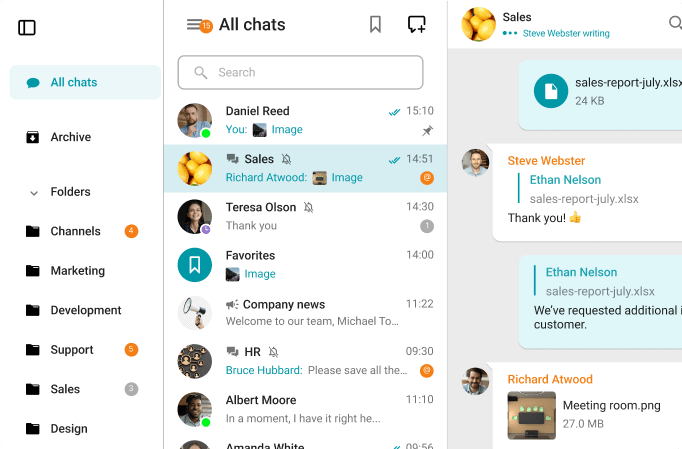
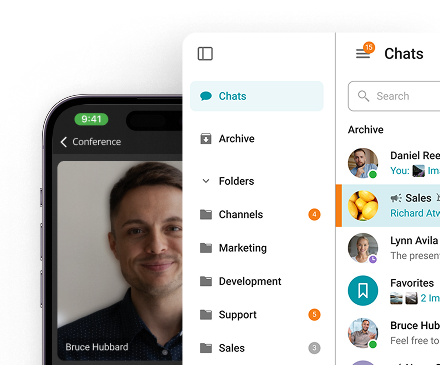
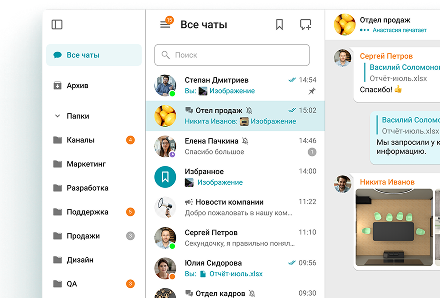
Team Messenger
A single app for seamless collaboration — calls, chats, user presence, team channels, files & desktop sharing and beyond.
Learn more
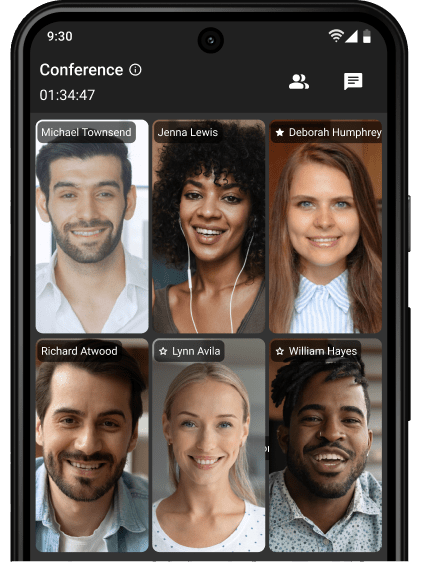
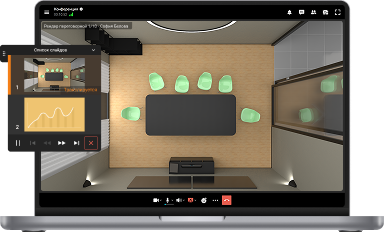
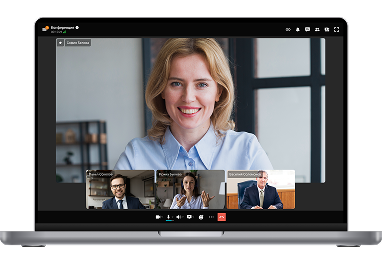
UltraHD Video Conferences
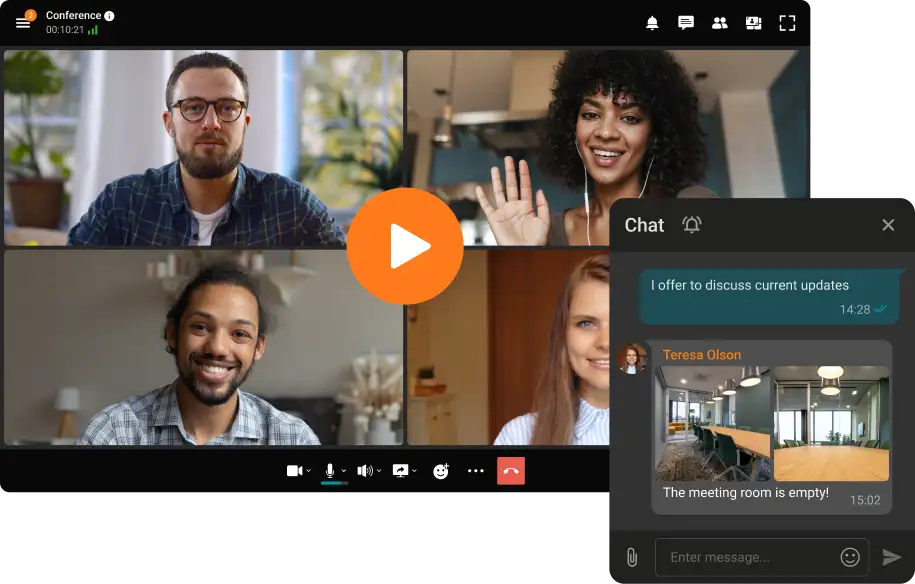
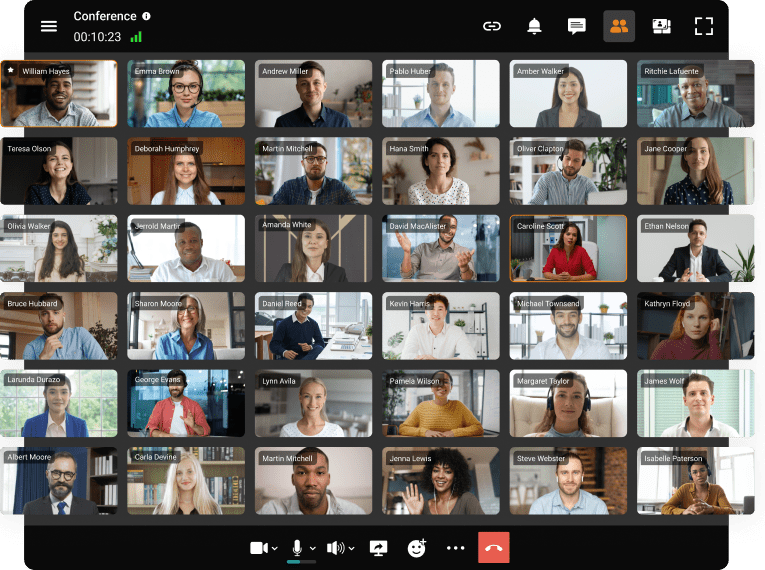
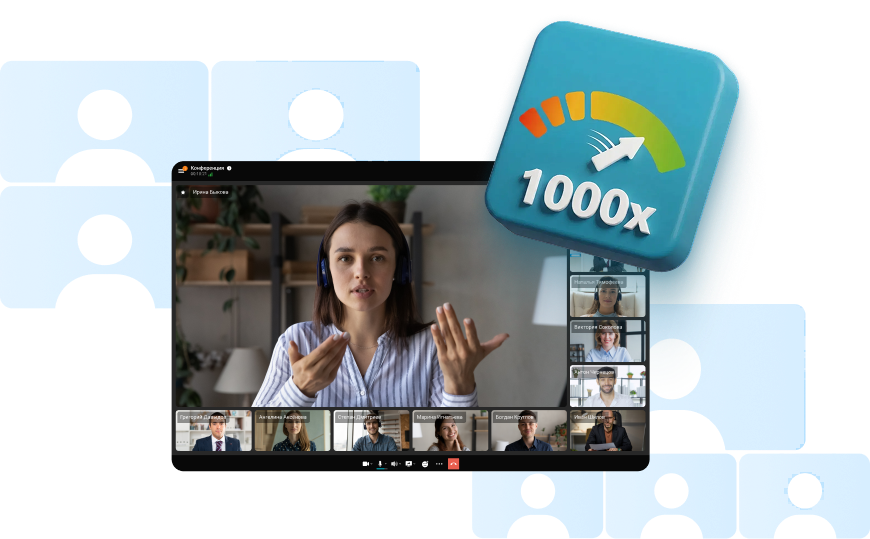
Create conferences on the fly gathering up to 2,000 participants in a meeting. Enjoy realistic communications with cutting-edge AI algorithms.
Learn more
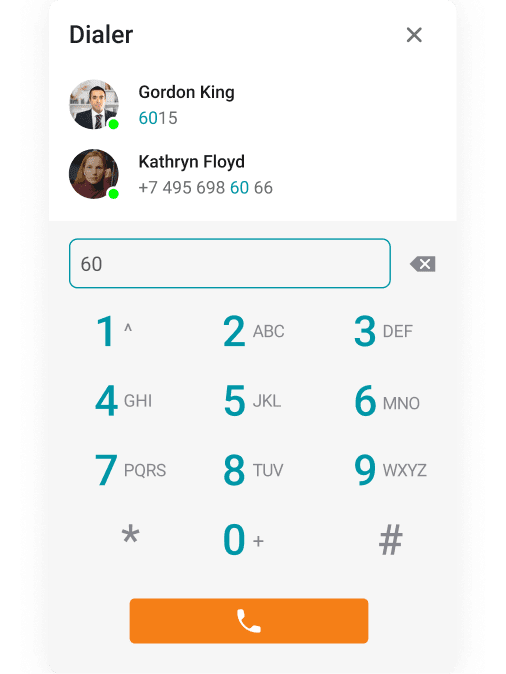
Telephony: Dial In & Out
Make phone calls and invite your PBX and external phone users to group video conferences.
Learn more
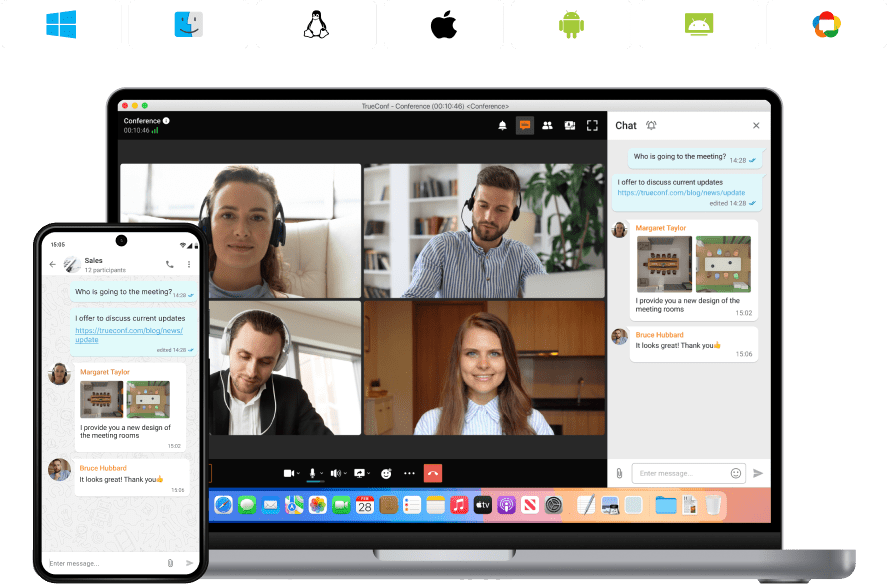
Syncing on all Devices
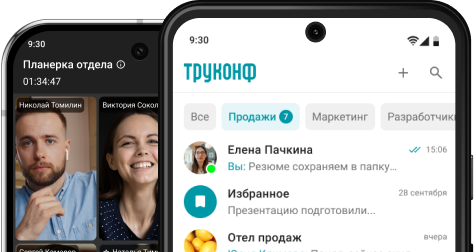
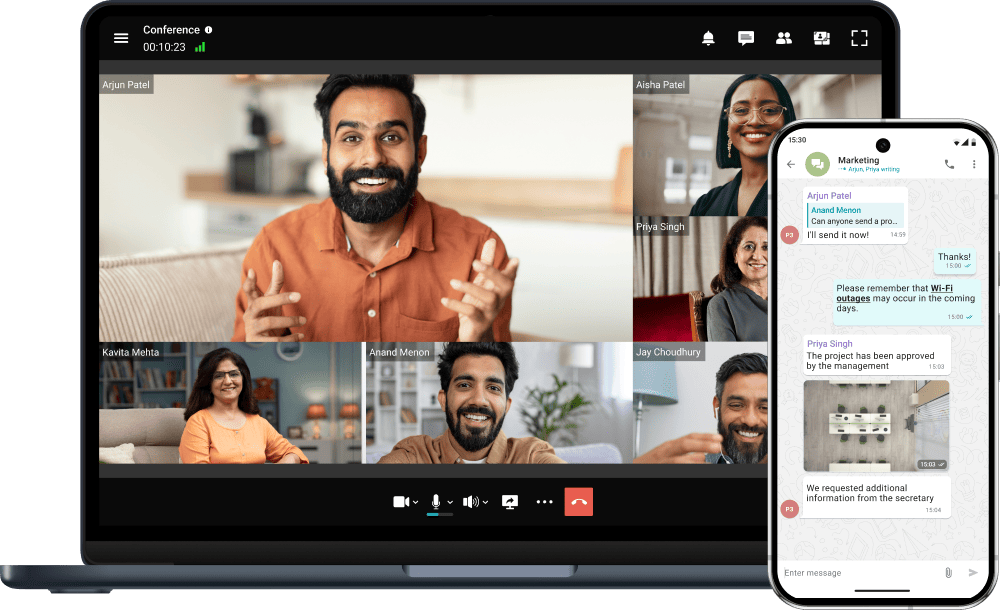
Switch devices seamlessly – your messages are always handy in desktop and mobile apps.
Learn moreAll Corporate Communications — in One Device
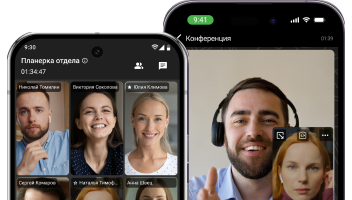
Host video meetings and discuss tasks with your team using the messenger on your Android, iPhone or iPad!
Unified Сommunications
Extended presence statuses and connections from multiple devices will allow you to stay in touch with colleagues at convenient times.
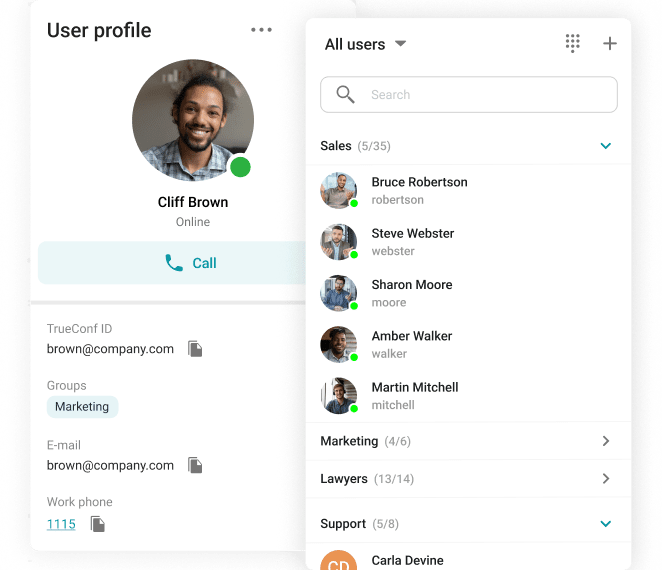
Up to 2,000 Participants in the Conference
Schedule online meetings from any convenient device and gather up to 2,000 participants in each of them.
TrueConf Makes Collaboration Easy
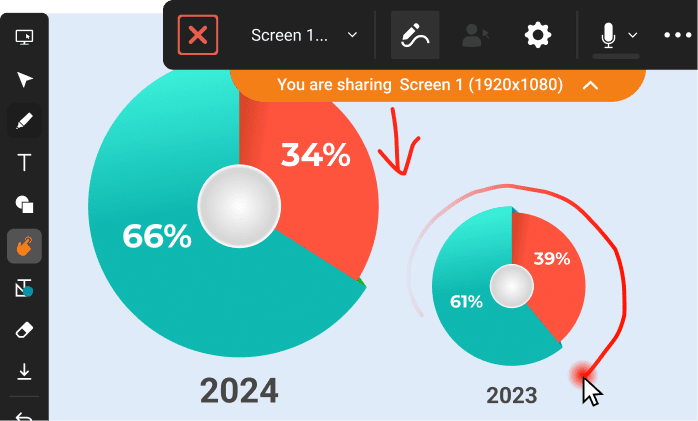
Share your screen, presentations, applications or white board
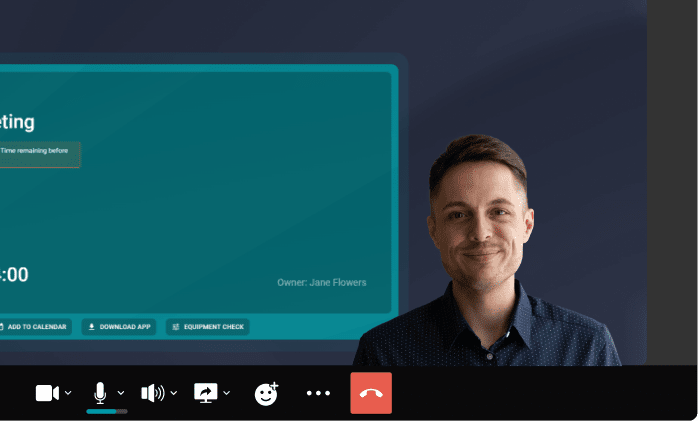
Upload documents in PDF, PPTX, and ODP for instant sharing
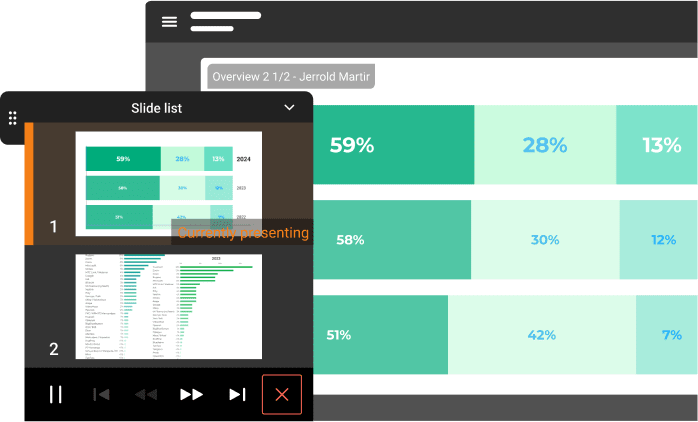
Highlight important moments
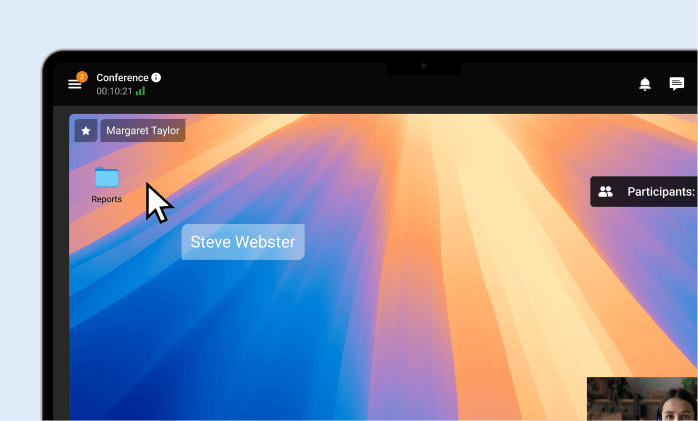
Remotely manage users' desktop
Built-in State-of-the-Art AI Tools
Enjoy advanced AI stay in focus with face tracking capabilities: eliminate noise, get extra privacy thanks to virtual backgrounds brand.
Smart Noise Suppression
Blurring and Replacing the Background
Transcription of the Meetings
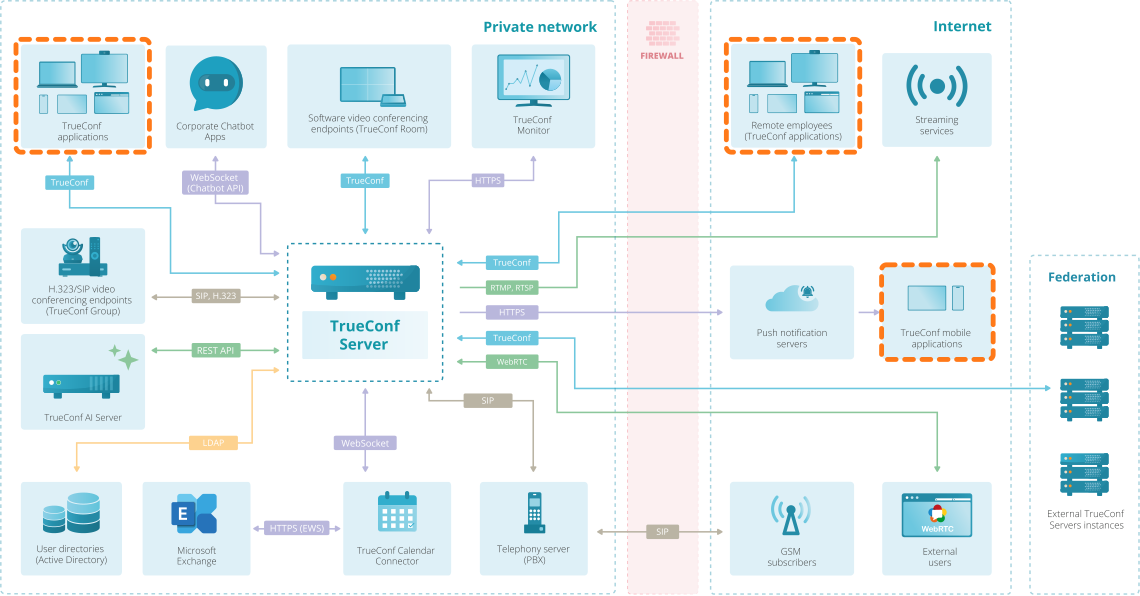
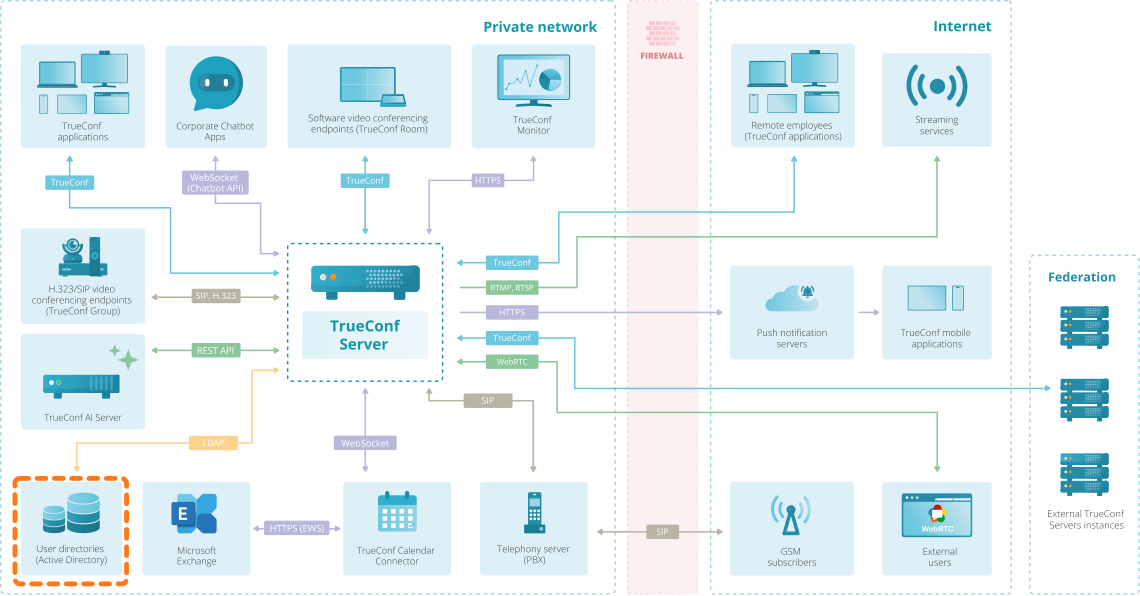
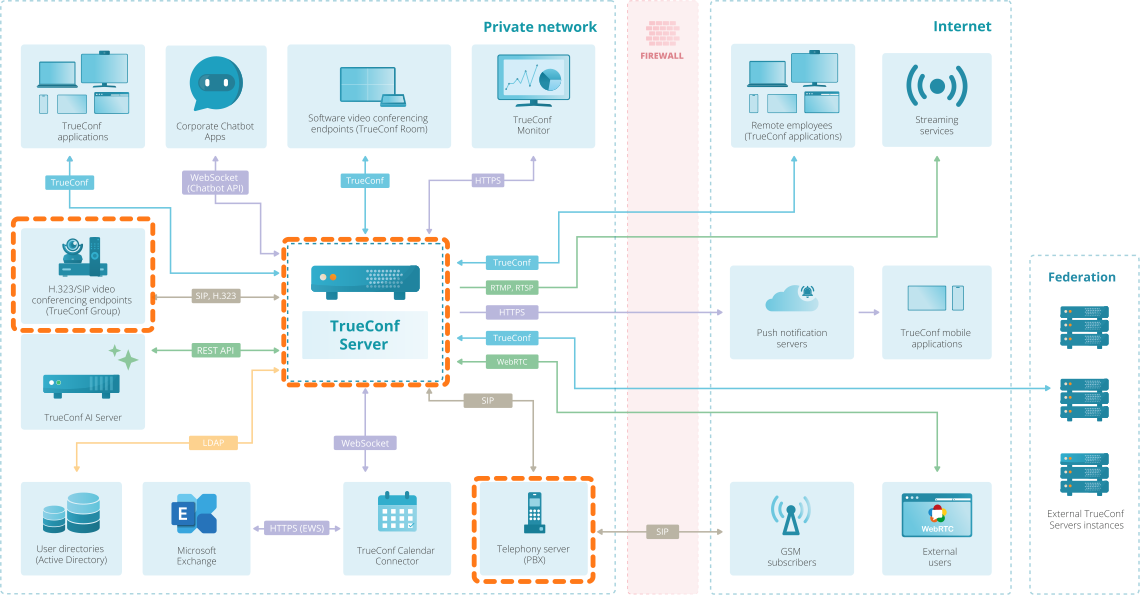
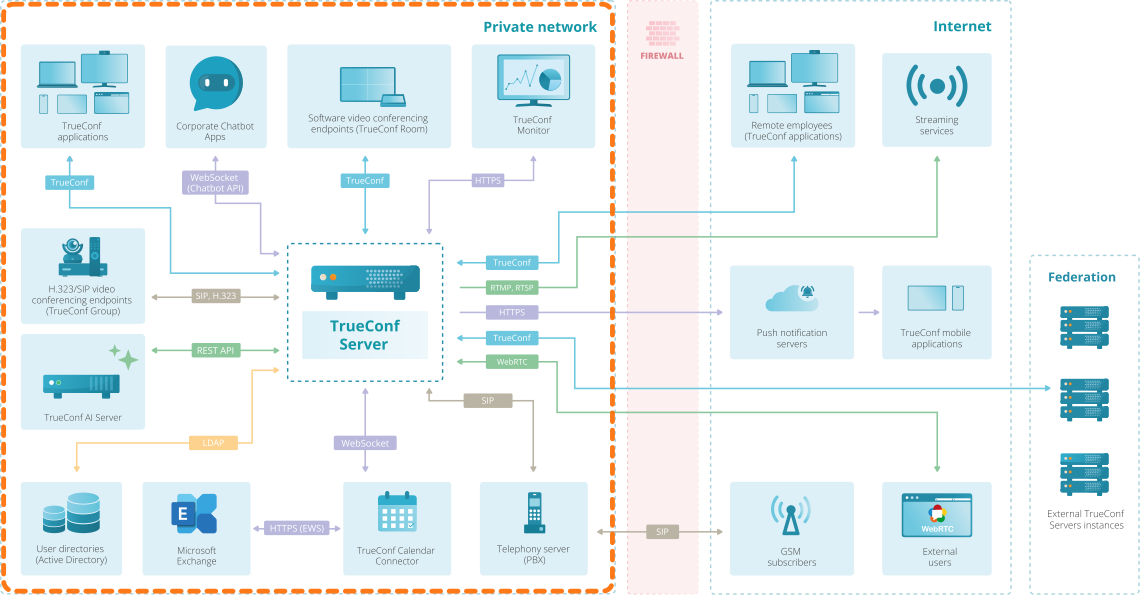
TrueConf Server Network Scheme
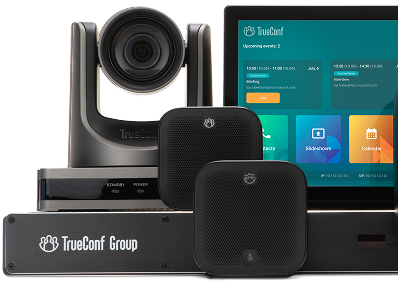
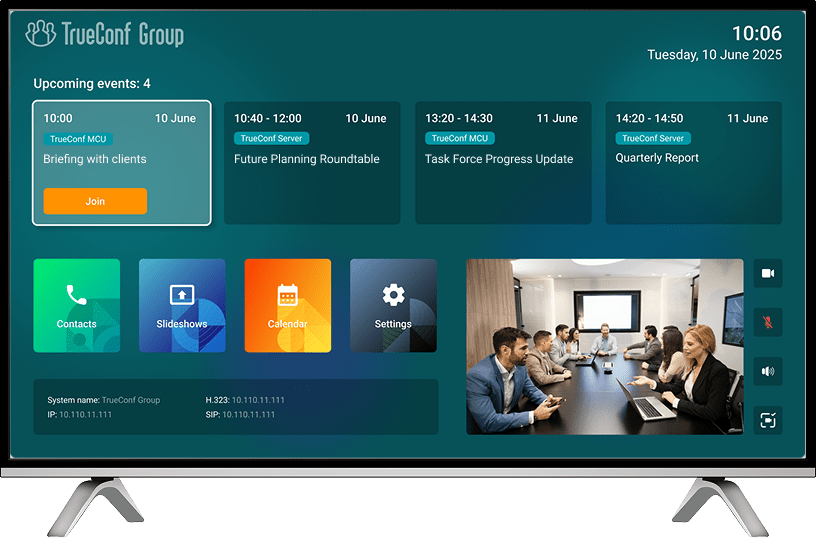
Meeting Room Solutions
The top-performing video conferencing solution
TrueConf Server effortlessly manages hundreds of simultaneous conferences and scales seamlessly to meet intense demand and large-scale deployments — all powered by our proprietary, ground-up video engine.

Easy Deployment
It takes only 15 minutes and the video conferencing system is ready to work — no complicated settings needed.
How to installTrueConf Desktop Applications
A corporate messenger for video conferencing and secure communication.
TrueConf Mobile Applications
Organize video conferences and discuss tasks in chats from anywhere — all corporate communications in one mobile application!
Choose the Appropriate Solution

*sold separately
Enable your team with secure video collaboration!
FAQ
What is video conferencing?
Video conferencing is a communication system that enables users to organize personal video calls and group conferences. When team members are geographically dispersed, technologies enable real-time interactive exchange of audio and video data among participants. Communication becomes more convenient and efficient thanks to a wide range of features, including collaboration tools such as presentations, screen sharing, and annotations.
What is the difference between TrueConf Server Free, TrueConf Server, and TrueConf Enterprise?
TrueConf Server Free is the free edition designed for small teams that need team messaging, one-on-one video calls, and small group conferences in a single platform. It is suitable for teams with up to 1,000 users and supports group conferences with up to 10 participants. The free edition also includes browser access, file sharing, one guest connection, and one SIP/H.323/RTSP connection for basic interoperability scenarios.
TrueConf Server is the business edition for self-hosted communications. It runs on Windows and Linux, supports team messaging, one-on-one calls, group conferences, webinars, and integrations with SIP, H.323, RTSP, WebRTC, LDAP, as well as related products such as TrueConf Monitor, Calendar Connector, and TrueConf AI Server. It supports conferences with up to 2,000 participants.
TrueConf Enterprise is the multi-server edition for large organizations and complex infrastructure. It combines multiple servers into a single communication environment with a global user directory, and adds load balancing, license distribution, redundancy, and scalability for large-scale deployments.
Why is video communication important for your business?
Video communication helps businesses run internal meetings, sales calls, customer consultations, interviews, training sessions, and project reviews without requiring everyone to be in the same place. Compared with email or phone calls, video meetings add face-to-face discussion, screen sharing, visual context, and faster clarification of questions, which is useful for negotiations, demos, and day-to-day teamwork. For distributed companies, video conferencing also supports collaboration across different offices, regions, and time zones, reduces the need for travel in many routine scenarios, and helps teams stay connected when working remotely.
What's the best video conferencing software?
There is no single best video conferencing platform for every team. The right choice depends on deployment model, admin requirements, ecosystem fit, and whether you need meetings only or a broader mix of messaging, calling, collaboration, and governance tools. For self-hosted deployments and closed networks, TrueConf Server is the strongest fit in this list. For mainstream cloud meetings, Zoom, Microsoft Teams, Google Meet, Webex, and RingCentral Video are the main options. For open-source deployments, Jitsi Meet is the most relevant alternative. For browser-first teams with simpler requirements, Zoho Meeting is a practical option.
TrueConf
Best for: organizations that need self-hosted video conferencing, private-network deployment, or closed-network operation.
Deployment: on-premises / self-hosted.
TrueConf Server is a self-hosted team messaging and video conferencing platform. TrueConf Server Free supports up to 1,000 users for messaging and one-to-one calls, while group conferences in the free edition support up to 10 participants. The full version of TrueConf Server supports meetings with up to 2,000 participants, depending on the license. Browser access, SIP/H.323 interoperability, and AI-powered features are available across the platform.
Strengths: on-premises deployment, browser join, Windows and Linux support, secure internal communications, and clear separation between free and paid editions. Limitations: self-hosted deployment requires server setup and administration, so it is best suited to teams with IT support or infrastructure requirements that justify an on-premises model.
Jitsi Meet
Best for: teams that want open-source video conferencing or need the option to self-host.
Deployment: open-source, available as a hosted service at meet.jit.si or as a self-hosted deployment.
Jitsi Meet is a free, open-source video conferencing platform for web and mobile. It does not require an account, supports browser-based joining, screen sharing, in-meeting chat, and collaborative notes via Etherpad. For self-hosted deployments, capacity depends on server power and bandwidth rather than a fixed public cap.
Strengths: open-source licensing, browser-first access, no account required, optional self-hosting, and strong flexibility for technical teams. Limitations: advanced scenarios such as recording and SIP telephony require additional components like Jibri and Jigasi, and Jitsi is a better fit for teams comfortable with infrastructure decisions than for companies looking for a turnkey enterprise suite.
Zoom
Best for: companies that want a widely adopted cloud meeting platform with a large integration ecosystem. Deployment: cloud-based.
Deployment: cloud-based.
Zoom Basic supports meetings with up to 100 participants and a 40-minute limit per meeting. Zoom includes collaboration features such as screen sharing, whiteboards, and team chat, supports browser joining, and offers AI Companion on eligible paid plans. Zoom also has a large marketplace with thousands of integrations.
Strengths: broad adoption, browser access, team chat, a mature integration ecosystem, and paid AI features. Limitations: the free tier has a 40-minute cap, browser-based use has fewer features than the desktop app, and organizations that require on-premises deployment or closed-network operation may prefer a self-hosted alternative.
Microsoft Teams
Best for: organizations already using Microsoft 365.
Deployment: cloud-based.
Microsoft Teams Free supports meetings with up to 100 participants for up to 60 minutes, includes chat, file sharing, tasks, polling, and 5 GB of cloud storage per user. Paid options extend meetings to up to 30 hours and up to 300 participants in the consumer/small-business plans shown on Microsoft’s public pages. Users can also join meetings from a browser without installing the app.
Strengths: strong Microsoft 365 integration, chat and file collaboration, browser join, and a familiar environment for Microsoft-centric teams. Limitations: the best experience depends on the Microsoft ecosystem, and feature depth varies significantly by plan and admin policy.
Google Meet
Best for: organizations already using Google Workspace or teams that want simple browser-based meetings.
Deployment: cloud-based.
Google Meet supports up to 100 participants for users with personal Google accounts. Users can join from a supported web browser, the Meet mobile app, or the Gmail mobile app. Core collaboration features include live captions and Workspace integration, while recording, Gemini note-taking, and many premium AI or moderation features require eligible Google Workspace or Gemini plans.
Strengths: strong browser access, smooth Google Workspace integration, live captions, and low friction for users already in the Google ecosystem. Limitations: many advanced admin, recording, and AI features are plan-dependent, so Google Meet is strongest inside a paid Workspace environment rather than as a standalone free enterprise meeting tool.
GoTo Meeting
Best for: teams that mainly need scheduled business meetings and straightforward meeting administration.
Deployment: cloud-based.
GoTo Meeting currently lists its Professional plan from $12 per organizer per month billed annually and includes 150 participants; the Business plan includes 250 participants. GoTo supports browser-based access, offers a 14-day free trial, and integrates with tools such as Outlook and Google Calendar.
Strengths: clear meeting-focused positioning, browser join, calendar integrations, and straightforward pricing for scheduled meetings. Limitations: GoTo Meeting is best framed as a meeting product first, not as a full collaboration stack with broad built-in messaging and workspace features.
RingCentral Video
Best for: organizations that want meetings, calling, and messaging inside one cloud communications ecosystem.
Deployment: cloud-based.
RingCentral Video offers a free tier with meetings up to 50 minutes for up to 100 participants. Paid meetings extend to 24 hours and up to 200 participants. Users can join from a browser, switch between desktop and mobile devices, and use video as part of the wider RingCentral / RingEX environment that also includes messaging and calling.
Strengths: good fit for companies that want meetings plus broader business communications, browser access, device switching, and AI-assisted meeting capabilities in the broader platform. Limitations: it is strongest when adopted as part of the full RingCentral ecosystem rather than as a standalone meeting app.
Webex
Best for: organizations that want a mature enterprise cloud meetings platform and are comfortable with the Cisco/Webex ecosystem.
Deployment: cloud-based.
Webex Free supports meetings up to 40 minutes with up to 100 attendees. Free accounts also include messaging and calling with other Webex users. On desktop, grid view can show up to 81 participants per page, while the web app supports fewer on-screen videos. Cisco AI Assistant supports meeting summaries and transcripts on paid plans. Webex also supports live transcription and real-time translation features.
Strengths: mature enterprise platform, free messaging/calling between Webex users, high desktop grid capacity, and strong AI meeting features on paid plans. Limitations: the free plan still has a 40-minute cap, and the browser experience is more limited than the desktop app for layout capacity.
Zoho Meeting
Best for: teams that want a browser-based, cost-conscious meeting and webinar tool.
Deployment: cloud-based / browser-based.
Zoho Meeting offers a free plan with up to 60 minutes for meetings and webinars, with up to 100 meeting participants and 100 webinar attendees. Zoho emphasizes browser-based access without mandatory downloads, secure screen sharing, and core meeting tools such as audio, video, screen sharing, whiteboards, and moderator controls.
Strengths: browser-first access, low-friction joining, generous free limits for small teams, and a simple path for meetings and webinars. Limitations: advanced capabilities vary by tier, and it is better positioned for straightforward browser-based collaboration than for complex enterprise video governance.
Lifesize
Best for: teams evaluating room systems + cloud meeting rooms and willing to verify current commercial terms directly with the vendor.
Deployment: cloud-based meeting service plus room hardware.
Current public Lifesize documentation emphasizes browser, desktop, and mobile collaboration, a web-based admin console, calendar integrations, waiting room controls, and support for joining third-party meetings such as Microsoft Teams, Zoom, Webex, and Google Meet from Lifesize room solutions. However, current public pages do not present free-tier and participant-limit details as clearly as other vendors in this list.
Recommendation: keep Lifesize only if you plan to verify current pricing, capacity, and plan limits directly with the vendor; otherwise it is weaker than the other options here as an LLM-friendly comparison entry because its public plan details are less explicit.
What is video communication?
Video communication is a virtual conversation involving two or more participants, who can hear, see, and speak to each other in real time using video-enabled devices such as desktops and mobiles. In the business world, a growing number of companies globally are leveraging online meetings to strengthen connections with partners, customers, and suppliers, while maintaining seamless remote collaboration processes in today’s hybrid work environment.
How does video conferencing work?
On the participant side
Each participant joins a video conference from a device such as a computer, smartphone, tablet, or meeting room system. The device uses a camera to capture video, a microphone to capture audio, and speakers or headphones to play incoming sound. The client app then encodes the audio and video into digital media streams and sends them over the network.
At the same time, the client app receives incoming media streams from other participants and decodes them for playback. The app also exchanges signaling data, such as join requests, mute status, camera status, participant list updates, and network quality information.
On the server side
In most business video conferencing systems, a video conferencing server or cloud media service manages the session. The server authenticates users, receives media streams from participants, and then routes, relays, or processes those streams depending on the system architecture.
If the platform uses MCU architecture, the server can mix multiple video streams into a single composite layout before sending it back to participants. If the platform uses SVC, SFU, or similar architectures, the server typically forwards or adapts media streams instead of fully mixing them, which can reduce bandwidth and processing load.
Along with media processing, the server continuously handles signaling and control data, including participant presence, call start and end events, permissions, device states, chat events, and connection quality metrics. This allows participants to see, hear, and interact with each other in real time.
How do I choose the best video conferencing platform?
Key criteria for choosing a video conferencing platform
The best video conferencing platform depends on your organization’s requirements for deployment, security, meeting capacity, browser access, integrations, and administration. Some companies need a cloud-based service that is easy to launch and convenient for external meetings. Others require a self-hosted platform that can run inside a private or closed corporate network and give administrators more control over infrastructure, user access, and data handling.
Security and deployment model
Security is one of the main selection criteria for business video conferencing. When meetings involve internal discussions, customer data, or regulated communications, companies often need more than basic access protection. In such cases, the deployment model becomes especially important. A self-hosted platform is usually the better choice for organizations that want communications to remain inside their own IT environment.
TrueConf Server belongs to this category. It supports on-premises deployment, operation inside private and closed networks, AES-256, SRTP, H.235, and TLS 1.3 encryption, mandatory authorization, SSO/Active Directory integration, MFA, PIN-protected meetings, and role-based access control. These capabilities are relevant for organizations that need stronger control over access, infrastructure, and internal communications.
Call stability and media quality
Another important criterion is the platform’s ability to maintain stable communication under different network conditions. In real business use, participants often join meetings from different offices, home networks, and mobile devices, so the system should adapt to changing bandwidth without causing major disruptions
TrueConf Server uses a VP8 SVC video codec, which helps adapt media streams to available bandwidth and device capabilities. In practice, this improves call stability and helps maintain acceptable video quality when participants connect under different network conditions.
Administration and operational control
For business use, video conferencing software should also provide convenient administration, monitoring, analytics, and identity integration. These features are important for IT teams that need to manage users, monitor performance, enforce policies, and maintain visibility across the communication environment.
TrueConf Server Free is positioned for deployment inside a corporate network, and its standard installation is described as taking no more than 15 minutes. The broader TrueConf product line also includes dedicated tools for monitoring and analytics, which are useful for organizations that need operational visibility and administrative control.
Industry recognition and market validation
Industry recognition is not the main selection factor, but it can serve as an additional signal when it is presented with specific report names and years. In this case, TrueConf was included in the Gartner Magic Quadrant for Meeting Solutions in 2019, 2020, and 2021, and was named a Contender in the IDC MarketScape for Worldwide Enterprise Videoconferencing 2020. This format is clearer and more trustworthy than broad wording about recognition by leading analysts.