
Collaboration Security
TrueConf guarantees the security of every call, message, and file. Your data stays fully under your control — stored locally within your infrastructure, with no third-party access at any point!


TrueConf guarantees the security of every call, message, and file. Your data stays fully under your control — stored locally within your infrastructure, with no third-party access at any point!
TrueConf solutions are used by hundreds of thousands of organizations worldwide. Among them are governments, private and public companies, banks, courts, clinics, and educational institutions.
Indian Space Research Organisation
United Nations Development Programme
Ministry of Public Security
Royal Canadian Mounted Police
Office of People's Council
Justice Courts
Indian Army
Superior Court of Justice of the Mexico City
By leveraging protocols such as AES-256, SRTP, and H.235, TrueConf guarantees that media streams are safeguarded from unauthorized access and tampering.
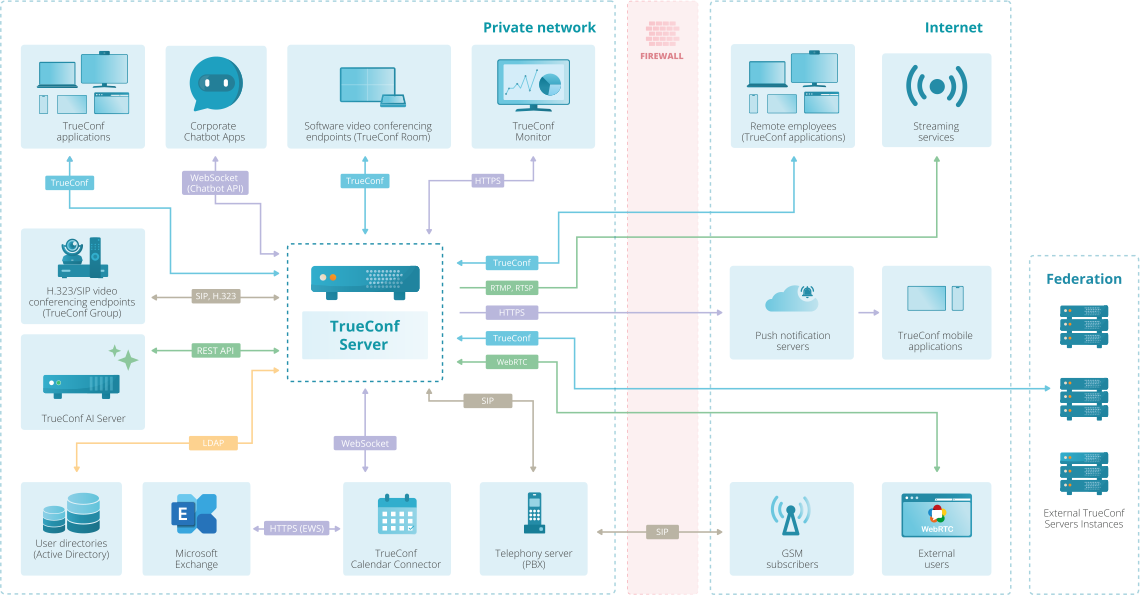
TrueConf Server can be installed within your organization's own infrastructure, giving you complete control over your data and ensuring that it never passes through third-party servers.
TrueConf adheres to recognized standards like ISO 27001 and GDPR, ensuring a secure and trustworthy environment for your communications.
Supports SSO, LDAP and OAuth 2.0 for centralized access management and seamless single sign-on.
Manage user capabilities by assigning permissions to specific groups, controlling access to chats, file sharing, conference creation, and more.
Limits access to the server based on IP addresses, ensuring only trusted networks can connect.
Logs user and admin actions, supports incident investigations, and provides customizable security event alerts.
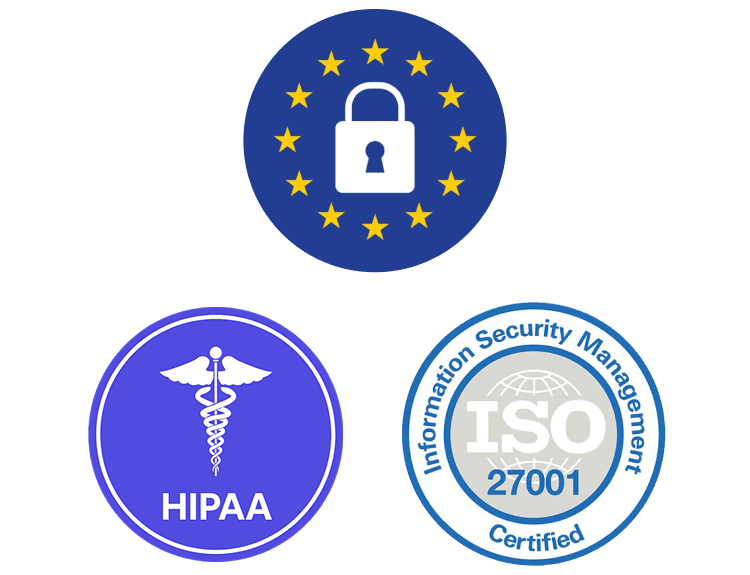
TrueConf complies with GDPR, HIPAA, ISO/IEC 27001, and ISO/IEC 27701 to ensure robust data protection and privacy. The company undergoes regular internal and external security audits to meet the strictest security standards and continuously enhance its security posture.
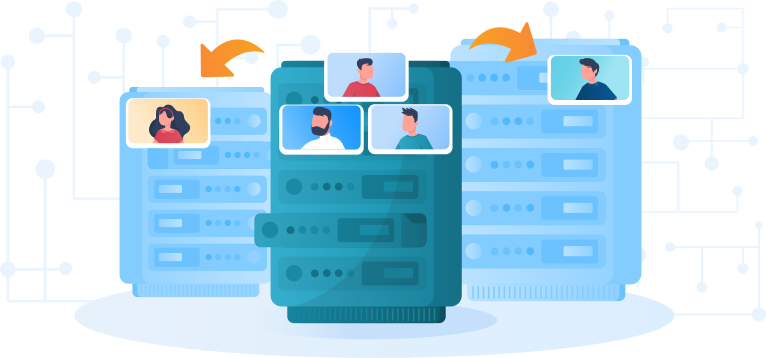
Supports horizontal scaling and clustering to increase system capacity and ensure resilience.
Enables deployment on offline nodes and backup servers to maintain uninterrupted service.
Integrates with third-party DLP systems via ICAP protocol to monitor and control data transfers, preventing sensitive information leakage.
TrueConf Server integrates with Security Information and Event Management (SIEM) systems, allowing for centralized monitoring and analysis of security events.
TrueConf Server offers a RESTful API with OAuth 2.0 support for secure application authorization and access control, enabling third-party applications to interact with the server without exposing user credentials.
TrueConf SDK enables the secure embedding of video conferencing capabilities into internal applications, ensuring all communications stay within the organization’s secure environment.
On-premises, cloud or hybrid
Cloud
Cloud, on-premises and hybrid
On-premises or cloud
Cloud
On-premises
Cloud or hybrid
Deploying new servers is required
Requires additional subscriptions or virtual machines
2,000
250
75
250
200
100
1000
49
49
12
6
25
34
49
Only group chat is available
Only during the conference
According to H.235 and SRTP standards
Google Cloud Directory Sync (GCDS) utility is required
Additional software installation required
Command line tools are required
1,000 online users
Up to 100 participants in a conference lasting 60 minutes
180 days trial period
Only in the cloud with 1 presenter and up to 100 participants, lasting no more than 50 minutes
Only in the cloud with 1 presenter and up to 100 participants, lasting no more than 40 minutes
TLS
TLS (Transport Layer Security) is a cryptographic protocol that provides communication security and privacy over the Internet. It is used in applications such as web browsing, email, instant messaging, and VoIP (Voice over Internet Protocol).
SRTP
SRTP (Secure Real-time Transport Protocol) is a key component of secure voice and video communication, providing end-to-end security between two parties. It protects the confidentiality and integrity of voice and video data as it is transmitted over a network.
E2EE
E2EE (End-to-End Encryption) is a security system in which all data remains encrypted from the moment it is created until it is destroyed. If someone intercepts the data while it is in transit, they will not be able to read it without the proper encryption key. When looking for a video conferencing solution, be sure to ask if it offers end-to-end encryption. The above types of security measures are essential for any business or organization that wants to keep its data private. This is especially important for online meetings, which often involve the exchange of sensitive information.
1.Google Meet (Hangouts)
Google Meet is a secure cloud-based solution that allows users to organize both individual and group video conferences. The platform offers many opportunities for collaboration, such as the well-known Jumpboard. Google Meet allows even unregistered guests to join the conference using the meeting code.
Security
Google initially created the solution as a business tool in the Google Workspace suite, but eventually made it available for non-commercial use. To protect personal data, the online meeting platform adheres to TLS and SSL standards for encryption during data transmission. Registered users can enable two-factor authentication using FIDO-compatible text messages, authentication apps, or security keys.
Vulnerabilities
Google Meet does not support end-to-end encryption: instead, it uses DTLS-S to protect connections. However, some may find it unpleasant to discover that the solution's vendor stores data on delays and performance. Such «collectible» information includes the data transfer rate, estimated bandwidth, names of conference organizers, participant IDs, IP addresses, as well as the meeting's date and calendar ID.
Security researchers recently highlighted a vulnerability in Google Meet's URL redirection feature, which could lead users to counterfeit domains and make them vulnerable to cybercriminals. Furthermore, when joining a meeting from a smartphone, the audio transmits over the telephone network and may not be encrypted.
2.Slack
Slack is a corporate messaging platform that supports video chats for up to 15 users. This solution, like other vendor services, requires mandatory account login and uses a secure system to protect confidential data. Slack supports integration with nearly 100 third-party services, including Dropbox, Google Drive, and Twitter, which explains its versatility.
Security
Data transfer between the messenger and the service uses reliable encryption protocols and signatures, such as TLS 1.2, AES-256, and SHA2. Notably, this protection system only works with the user's consent, who must approve the processing of their personal information. Confidential data at rest in the Slack production network is encrypted according to FIPS 140-2 standards, including relational databases and file storage. Simultaneously, all encryption keys are stored on a secure server with restricted access.
Vulnerabilities
If you plan to use Slack for business purposes, you should be aware of the associated risks. In 2015, hackers breached Slack, exposing vulnerabilities in the messenger's security system. The company announced that hackers had breached its system, gaining access to the database for four days and jeopardizing user privacy.
After the cyberattack, Slack experts discovered suspicious activity from several accounts that had clearly been compromised by criminals. In 2019, Tenable specialists discovered a vulnerability in the Windows version of Slack. The client application allowed users to change the download destination, potentially enabling them to steal, modify, or add malware to files.
The critical vulnerability also allowed for remote code execution (RCE). Hackers could gain full remote control over the Slack desktop application through a successful exploit, thereby accessing private channels, conversations, passwords, tokens, and keys.
3.Skype
Skype, created by Microsoft, is a free software for making video calls. The «Meet Now» option allows presenters to invite both registered participants and anyone else to a virtual meeting, without requiring an account. Regarding commercial purposes, it is worth noting that Skype for Business will cease operations on July 31, 2021.
Security
Skype uses AES, also known as Rijndael, which the US government employs to safeguard confidential information. At the same time, the encryption itself is 256-bit and has proven to be reliable. Skype server uses 1536- or 2048-bit RSA certificates to certify users' public keys.
Vulnerabilities
By default, Skype does not use end-to-end encryption, which means Microsoft can view all messages, calls, and files. In addition, the vendor records people's interactions on their platform, including, but not limited to:
4.Cisco Webex
WebEx, the video conferencing platform, has existed since 1995 and is widely used by privacy-conscious companies in the healthcare, information technology, and financial services industries. This is partly because all three sectors had adopted virtual meetings long before the COVID-19 pandemic, but mostly due to the solution's reputation for maintaining strong cybersecurity. Cisco, WebEx's parent company, has long established itself as a reliable and secure vendor for corporate interactions.
Security
By default, WebEx makes user data readable by the server, but it also offers additional end-to-end encryption for up to 200 users, which exceeds the capacity of many competitors. Free account holders can contact customer support for additional protection measures. Despite considering the possibility of hosting an on-premises solution, the vendor offers a Cisco Meeting Server for this purpose.
Vulnerabilities
In 2020, Cisco engineers prepared fixes for three vulnerabilities that hackers could exploit during WebEx conferences. IBM discovered security breaches that allowed attackers to join online meetings as ghost users and gain access to personal data. Therefore, a cybercriminal could discover the full names, email addresses, and IP addresses of conference participants.
5.WhatsApp
It is highly likely that you have friends or relatives on WhatsApp, as this messenger already has over two billion users. The solution was created in 2009, but it reached peak popularity in 2015, even becoming the primary means of communication in several countries, particularly in Latin America. WhatsApp enables users to organize personal and group chats, make audio and video calls, share files and locations, and even create polls.
Security
To ensure privacy, the solution supports end-to-end encryption, preventing even company employees from viewing your messages or listening to conversations. WhatsApp allows users to enable two-step verification to further protect their personal data and send disappearing messages.
Vulnerabilities
In January 2021, Meta announced an update to its privacy policy, stating that WhatsApp would store personal metadata and share it with Facebook and its «family of companies» (including Facebook Messenger, Instagram) starting in February of that year. Users could previously refuse to transfer information in the settings, but this feature is no longer available. Cyber awareness is something you need to keep in mind at all times while using WhatsApp.
In 2022, the leak resulted in the release of nearly 500 million users' personal data onto the internet. Meta had been storing users' confidential information in a nearly unencrypted form for years, allowing hackers to easily bypass the security system and gain access to it. In the following years, residents of 84 countries, including the United States, Italy, and France, suffered from the actions of fraudsters and criminals.
6.Zoom
Zoom is a video communication platform that offers a wide range of collaborative tools. The solution gained the most popularity in 2020 during the pandemic, as many companies and organizations adopted it for remote work. Many enterprises continued using Zoom even after the lockdown was lifted, demonstrating its ongoing high demand.
Security
When using a Zoom client, video, audio, and screen sharing are protected in transit with AES-256 encryption and a one-time key for that specific session. To further protect your privacy, the solution enables additional end-to-end encryption.
Vulnerabilities
«Zoombombing» remains a significant stain on the company's reputation regarding security. The occurrence of intruders appearing in conferences and subsequently using profanity has become one of the most significant hacker attacks in the history of video communication. Attackers could send, edit, and remove chat messages, as well as remove other participants from online meetings.
An encrypted video conferencing platform should include strong encryption, secure authentication, role-based access control, meeting passwords, waiting rooms, encrypted recordings, and centralized admin settings. For organizations with strict security requirements, TrueConf Server can be deployed on-premises, keeping meetings and data inside the corporate network.
Companies can build private video conferencing infrastructure by deploying a self-hosted video conferencing platform on their own servers or in a private data center. TrueConf Server allows organizations to run video meetings within their internal network, giving IT teams full control over deployment, users, storage, and security policies.
SIEM integration improves video conferencing security by sending platform logs and events to external security monitoring systems. TrueConf Server supports integration with SIEM platforms such as Splunk or IBM QRadar, helping organizations detect suspicious activity, monitor access, and include video meetings in their overall compliance framework.
Enterprise meetings are protected by features that control who can join, what participants can do, and how activity is monitored. TrueConf Server supports authentication, user permissions, admin controls, audit logs, and on-premises deployment, helping companies prevent unauthorized access and keep sensitive communications under internal control.
Admin tools improve enterprise video conferencing security by giving IT teams centralized control over users, permissions, meeting settings, and access policies. With TrueConf Server, administrators can manage accounts, configure security rules, monitor activity, and keep video meetings inside the corporate network through on-premises deployment.